Updated 12 November 2026. Rules checked against Inland Revenue’s taxable supply information guidance and GST guide IR375 (March 2026). General information, not tax advice.
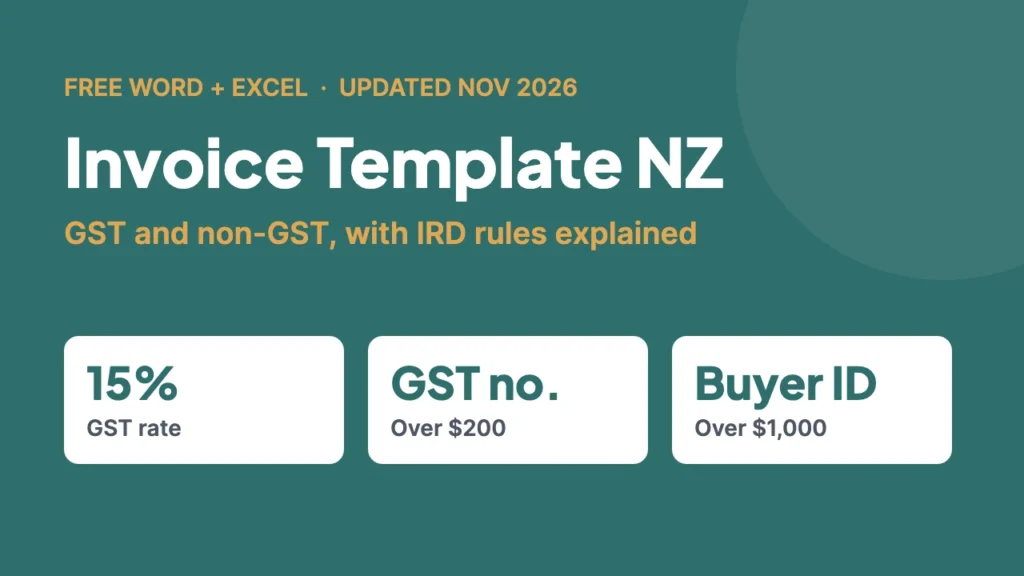
Invoice template NZ, the quick answer: if you’re GST-registered, an invoice for more than $200 must show your name, your GST number, the date, what you supplied, and the price with GST shown (or a statement that GST is included). Over $1,000, add the buyer’s name and one identifier, such as their address or email, if they’re GST-registered. If you’re not GST-registered, don’t charge GST, don’t show a GST number and don’t call it a tax invoice. Download free Word and Excel invoice templates for both below.
Whether you’re a sole trader sending your first invoice or a small business tired of fiddling with a homemade one, the basics are the same: get the details right so you get paid on time, and so your invoices stand up if Inland Revenue ever asks. Here are three free templates, what NZ rules actually require on an invoice, and how to work out GST without a calculator app.
Free invoice templates NZ (Word + Excel)
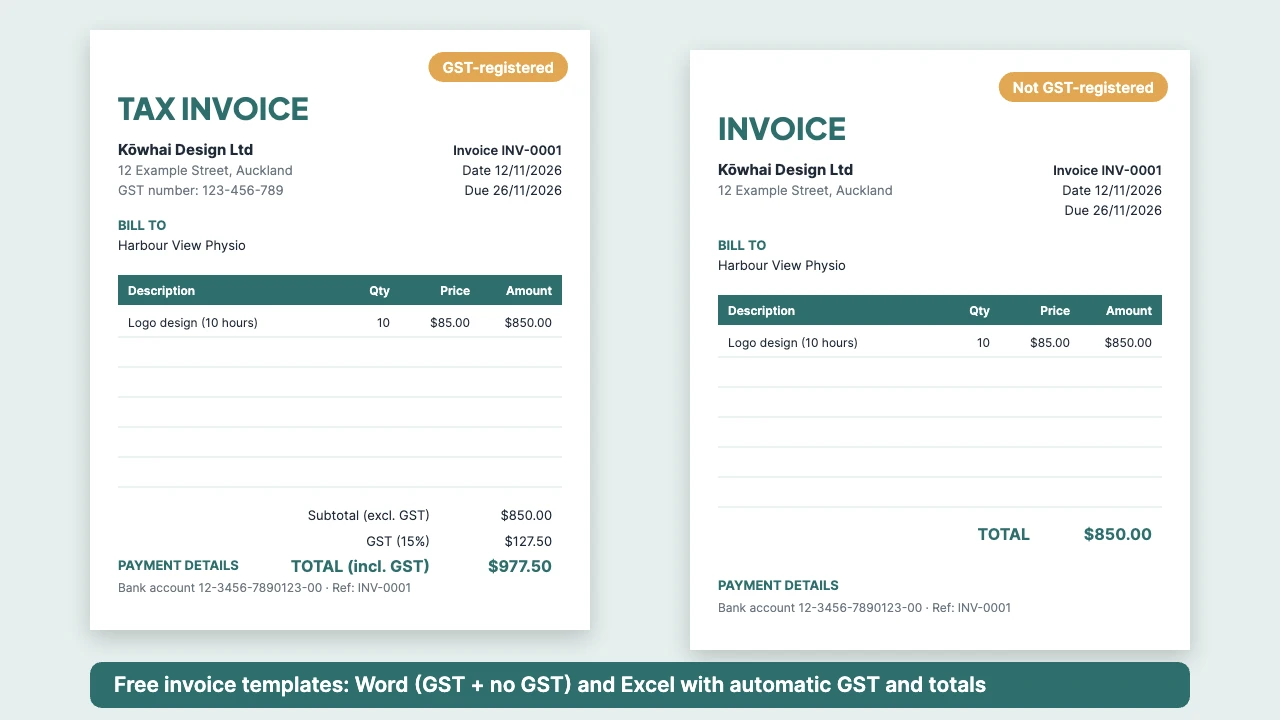
- GST invoice (Word): for GST-registered businesses. Headed “Tax invoice”, with your GST number, a buyer details section, a line-item table, subtotal, GST at 15% and total. The last page is a short checklist of Inland Revenue’s requirements to delete before you send.
- Invoice with no GST (Word): for sole traders and small businesses that aren’t registered for GST. No GST lines or GST number, plus an optional “No GST is charged on this invoice” note.
- Excel invoice (both versions): two sheets, one with GST and one without. Fill in the yellow cells and the amounts, GST and totals calculate automatically. A third sheet summarises the rules.
Each template uses made-up example details (a fictional business, customer and bank account), so replace everything in square brackets or yellow cells with your own.
What a GST invoice must show in NZ
Since 1 April 2023, Inland Revenue no longer requires a document called a “tax invoice”. Instead, GST-registered businesses must provide and keep taxable supply information: a minimum set of details that depends on the value of the sale. It doesn’t have to be in a single document, but for most small businesses an invoice is still the simplest way to provide it, and plenty of businesses still call it a tax invoice.
| Sale value (incl. GST) | What it must show |
|---|---|
| $200 or less | You don’t have to give the buyer taxable supply information, but you and a GST-registered buyer must both keep your own records of the sale. |
| More than $200, up to $1,000 | Your name or trading name and GST number · the date of the invoice · a description of the goods or services · either the GST-exclusive amount, the GST amount and the GST-inclusive amount, or the GST-inclusive amount with a statement that GST is included (when everything is charged at the standard rate) |
| More than $1,000 | Everything above, plus, if the buyer is GST-registered, their name and at least one identifier: physical or postal address, phone number, email, trading name, NZBN or website URL |
- If a GST-registered customer asks for taxable supply information for a sale over $200, you must provide it within 28 days (or by another date you both agree).
- Amounts must be in New Zealand dollars.
- Only provide it once. If the customer loses it, send a copy rather than a new invoice.
- Keep business records for 7 years, including copies of the invoices you send and receive. For the full detail, see Inland Revenue’s taxable supply information page.
Invoicing if you’re not GST-registered
Plenty of sole traders, side hustlers and new businesses aren’t registered for GST. If that’s you:
- Don’t charge GST, don’t show a GST number, and don’t call your invoice a tax invoice. Our no-GST template is set up that way.
- Do include the basics so you get paid: your name, the date, an invoice number, what you did or sold, the amount, the due date and how to pay.
- Watch the $60,000 threshold. Inland Revenue says you must register for GST if your turnover was $60,000 or more in the last 12 months, or will be $60,000 or more in the next 12 months, and you must register within 21 days of that applying. You can also register voluntarily below the threshold.
- You still pay income tax on what you earn, even without GST. If you’re new to the tax system, start with our guide to getting an IRD number.
How to work out GST on an invoice
GST in New Zealand is 15% on most goods and services.
| You know… | Calculation | Example |
|---|---|---|
| The price before GST | Multiply by 0.15 to get the GST, then add it on | $850 × 0.15 = $127.50 GST, so the total is $977.50 |
| The GST-inclusive price | Multiply by 3, then divide by 23 to find the GST inside it | $977.50 × 3 ÷ 23 = $127.50 GST, so the price before GST is $850 |
The 3/23 method is the one Inland Revenue uses in its own GST guide. Our Excel template does the calculation for you and rounds GST to the cent. For a quick one-off check, use our GST calculator.
How to fill in an invoice, step by step
- Pick the right template: GST invoice if you’re registered, no-GST invoice if you’re not.
- Add your details: business or trading name, address and contact details, plus your GST number if registered.
- Number it: use a simple sequence (INV-0001, INV-0002…) and never reuse a number.
- Add the dates: the invoice date and a clear due date. Pick payment terms that suit you, such as 7 or 14 days, and write the actual date rather than “14 days”.
- Add the customer: their name, and for sales over $1,000 to a GST-registered business, an identifier like their address or email.
- List what you supplied: a short description, quantity and price for each item. “Website work” is vague; “Website design, 10 hours at $85” is clear.
- Check the totals: subtotal, GST and total (or just the total if you’re not registered).
- Add payment details: your bank account number and the reference you want them to use.
- Save a copy and send it as a PDF, so the layout doesn’t shift and it’s harder to edit.
Fixing a mistake on an invoice
If an invoice you’ve already sent has the wrong amount of GST on it, Inland Revenue requires you to provide supply correction information (what used to be called a credit note or debit note) rather than quietly changing the original. Send a correction that refers to the original invoice number and shows the corrected amounts.
When to move to invoicing software
A template is perfect when you send a handful of invoices a month. Once you’re sending lots, chasing late payers or filing GST returns, accounting software such as Xero, MYOB or Hnry can number invoices, send reminders and pull the figures into your GST return. Compare a few before you commit.
Common invoicing mistakes
- Charging GST when you’re not registered. You can’t, and it causes headaches for your customer.
- Forgetting your GST number on invoices over $200 when you are registered.
- No due date. “Payment terms: 14 days” is easy to ignore; “Due 26 November 2026” isn’t.
- Vague descriptions that a customer (or Inland Revenue) can’t match to the work.
- Duplicate or skipped invoice numbers, which make your records hard to follow.
- Not keeping copies. You need records for 7 years.
Working for yourself? Our guide to remote jobs in New Zealand covers freelancing and contracting options.
FAQs
Do I have to call it a tax invoice in NZ?
No. Since 1 April 2023, Inland Revenue requires GST-registered businesses to provide and keep “taxable supply information” rather than a document titled “tax invoice”. You can still call it a tax invoice if you like, but only if you’re GST-registered.
What does an invoice need to include if I’m GST-registered?
For sales over $200: your name or trading name, your GST number, the date, a description of what you supplied, and the GST-exclusive amount, GST and GST-inclusive total (or the GST-inclusive total with a statement that GST is included). Over $1,000, also add the buyer’s name and an identifier such as their address or email, if they’re GST-registered.
Can I send an invoice if I’m not registered for GST?
Yes. Just don’t charge GST, don’t show a GST number and don’t call it a tax invoice. Include your name, the date, what you supplied, the amount and how to pay.
When do I have to register for GST?
Inland Revenue says you must register if your turnover was $60,000 or more in the last 12 months, or will be $60,000 or more in the next 12 months. You must register within 21 days of that applying.
How do I work out the GST in a GST-inclusive price?
Multiply the GST-inclusive price by 3, then divide by 23. For example, $977.50 × 3 ÷ 23 = $127.50 GST.
How long do I need to keep invoices?
Inland Revenue requires business records, including invoices you send and receive, to be kept for 7 years.
Is the invoice template free?
Yes. The Word and Excel templates are free to download and use for your business, with no sign-up.

Written by Alex · Founder, NZ Life Help
Alex moved to New Zealand from the UK in 2019 and has lived in Auckland and the South Island. He started NZ Life Help in 2026 to give newcomers and locals the clear, practical answers he couldn’t find when he arrived. Guides are checked against official sources and updated when the rules change.